
 Credit: Lucas Gouveia/How-To Geek
Chrome extensions are powerful and versatile, but they’re also a massive privacy and security risk. This is why I and most people who know at least a little about cybersecurity minimize or eliminate our use of extensions as much as possible.
One major problem with Chrome extensions is that they can start off legitimately useful and harmless. Then, after becoming popular, the owners either add malicious code or sell the extension to someone else who does the same. Unless this is caught, all the people who installed the extension are suddenly at risk.
This doesn’t happen that often these days, because Google has created ways of detecting malicious code and will block extensions that it flags, but there have been some pretty egregious examples in the past.
The Great Suspender
The suspense was killing everyone
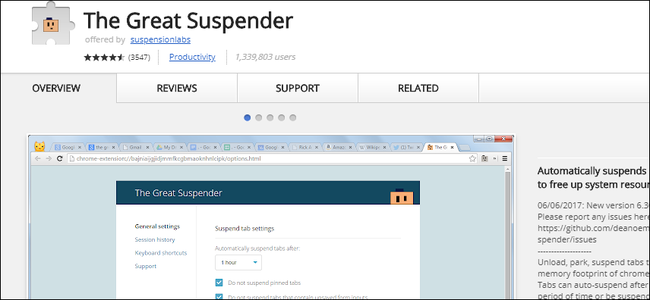
This was a hugely popular extension that helped curb Chrome’s insatiable hunger for RAM by unloading inactive tabs from memory. Something which you might know Chrome has been doing for a few years ago. It’s called Memory Saver, and, ironically, it arrived the year after Google blocked The Great Suspender in 2021.
The extension had two million users, and according to Bleeping Computer, was sold to an unknown buyer in 2020. Since it’s a free extension with no way of making money, this raised a red flag.
In 2021, the maintainer added an update which included tracking malware and the ability to execute remote code from a server on your computer if you had the extension installed. Google removed the extension from the store, and also forcibly uninstalled it, leaving millions of people with suspended tabs unable to retrieve them without a workaround.
Hover Zoom
Simple yet oh so useful
The best extensions are ones that do a single useful thing, and well. I only have extensions by Google installed, and my favorite is the picture-in-picture extension that pops out a little window for videos on pages like Plex or YouTube, so I can carry on with my work while still keeping an eye on the footage.
Hover Zoom was just this kind of extension. The name says it all. Hover your pointer over the image on a web page, and it expands for you. At first, it was clean as a whistle, and people loved it. However, cybersecurity watchdogs noted that the extension was sending data back home. Something it didn’t have to do in order to work.
It turns out later versions of Hover Zoom were spying on users and recording things like which sites they visited. Regular users didn’t catch on, because the extension kept working as usual. The spying happened quietly in the background.
There’s a great article by Sam Jadali from Security with Sam that collects the numerous reports of how Hover Zoom spied on users and send that data to third parties neatly organized in a timeline. Just in case you want all the sordid details.
Nano Adblocker
A tiny little problem
Look, I get it, people don’t like ads on websites so they install adblockers. Of course a website like this one costs money to maintain and to create the content you’re enjoying right now, so if you do block all the ads you end up with paywalls, but I digress.
The thing is, if you’re also not paying for your adblocker, then you run the risk of being exploited by its creators, as they prey on your desire to enjoy websites for free, and that’s what happened to Nano Adblocker. Built on uBlock Origin, it was marketed to power users as a powerful community-driven blocking tool.
In 2020, the extension changed hands, and soon the extension injected malicious code into websites its users visited. Possibly because the Nano Adblocker userbase was more tech-savvy, people caught on to this quickly.
According to Ars Technica it had more than 300,000 active users, which is a big and juicy target. The original GitHub project still exists, and the previous maintainer’s take on the situation makes for interesting reading.

Raspberry Pi 5
Brand
Raspberry Pi
Storage
8GB
It’s only recommended for tech-savvy users, but the Raspberry Pi 5 is a tinkerer’s dream. Cheap, highly customizable, and with great onboard specs, it’s a solid base for your next mini PC.
CPU
Cortex A7
Memory
8GB
Operating System
Raspbian
Ports
4 USB-A
Copyfish
Something fishy happened
Copyfish is free OCR (Optical Character Recognition) software that lets you copy text from images and PDFs. These days with AI built into phones and computers we take this sort of thing for granted, but back in 2017 it was an extemely useful extension to have.
Unfortunately, that was also the year Copyfish started injecting ads into websites people who use it were visiting. However, in this case, it wasn’t a malicious owner, old or new, it was a hack perpetrated through the Chrome extension update system. According to Bleeping Computer the developers fell for a phishing attempt and so the hackers gained access to the extension.
In the end, there’s no such thing as a safe extension. So uninstall the ones you don’t use, don’t have all your extensions on every browser unless you need them, and try to find alternative solutions if you can.

